Space & Atmospheric Environment Modeling
Understand the environment your mission will encounter.
SWAN is a mission-focused space and atmospheric environments modeling application that helps users understand the conditions a mission may encounter from Earth to orbit and more.
Free version available. Windows application only.

The Space Weather and Atmospheric eNvironments (SWAN) Toolkit
SWAN brings together established models and data sources into one application, allowing users to build mission-specific environments, examine historical or potential conditions, and explore how space weather and upper atmospheric conditions vary across a mission timeline.
Equinox Technologies developed SWAN to make environmental modeling more accessible, adaptable, and efficient for real-world mission decisions.
SWAN was built to address real operational gaps between environmental data and decision-making. It represents a new approach to space and atmospheric modeling: one that evolves with user needs, bridges atmosphere-to-orbit conditions, and replaces static, one-size-fits-all assumptions with adaptable intelligence tailored to real-world operations.
Explore this page to discover what you can do with SWAN.
What does SWAN do?
Atmospheric Environment
Atmospheric density/composition
Atmospheric temperature
Atmospheric drag
Altitude-dependent conditions
Launch/reentry environments
etc.
Mission Profile
Custom mission builder tool
Launch
Orbit
Trajectory
Custom mission file upload
SWAN mission library for sample missions like ISS or common LEO orbits
Space Weather
Solar energetic particles (SEPs)
Galactic cosmic rays (GCRs)
Trapped particles
Geomagnetic shielding and activity
Historical conditions
Hypothetical mission dates
etc.
Results
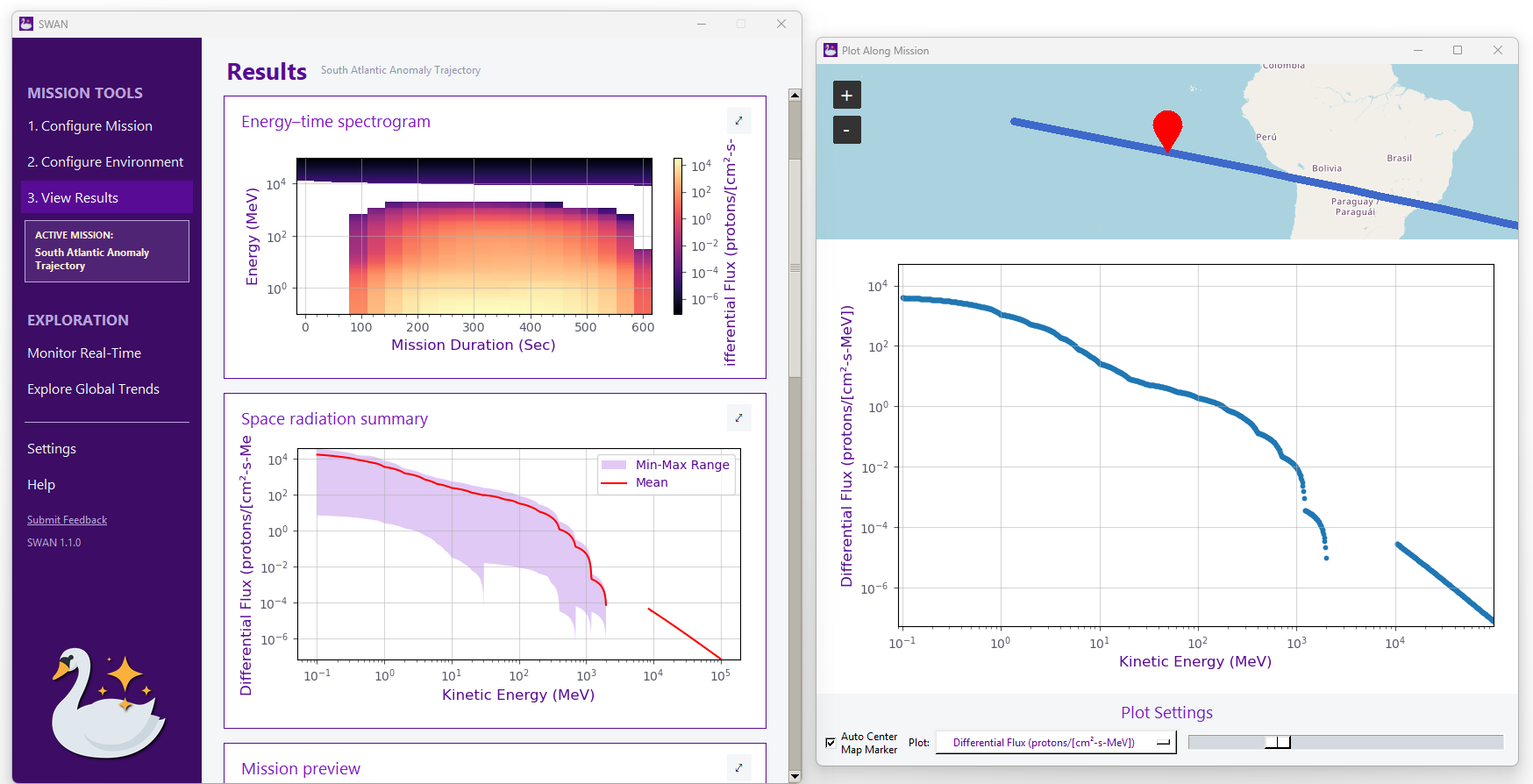
Easy access to plots of all results, e.g., proton flux vs energy per mission timestep
Easy exporting tabulated data
2D/3D mission mapping
Energy-time spectrogram of proton fluxes
Mission timeline analysis, e.g., timestep with most severe space radiation exposure
Analysis of radiation sources contributing to overall exposure
Built on established models and data
SWAN integrates established environmental models and trusted data sources into a single workflow.
CREME96 • IRENE/AP9 • MSIS • OMNIWeb • CelesTrak • GFZ Kp • NOAA SWPC • NASA
A BETTER WAY TO WORK
Traditional Workspace vs SWAN
Instead of stitching together separate models, datasets, and custom scripts, SWAN gives analysts and operators one place to configure a mission, evaluate its environment, and transform complex data into actionable results that can support mission planning and analysis.
| Traditional Workspace | SWAN | |
|---|---|---|
| Data sources | Multiple sources, files, downloads, and manual data handling | Integrated environmental data sources in one workflow |
| Environmental models | Separate tools and models that may require different workflows | Multiple established models accessible from one application |
| Mission context | Environmental data evaluated separately from the mission profile | Environmental conditions modeled in the context of a specific mission |
| Data processing | Custom scripts, spreadsheets, or manual processing | Guided configuration and built-in processing |
| Visualization | Export, reformat, and build plots in separate tools | Results and visualizations generated directly within SWAN |
| Scenarios | Workflows rebuilt when changing dates, conditions, or mission parameters | Historical and hypothetical mission environments can be explored directly |
| Workflow | Multiple tools connected by the analyst | One application from configuration through results |
Tired of working with software from the 90s?
We were. So we built something new.
Leave outdated software behind. Meet a modern, intuitive way to work.
SWAN was built to make sophisticated environmental modeling easier to configure, understand, and use—without forcing analysts to build their workflow around outdated interfaces, scattered data sources, or custom scripts.
No manual required.
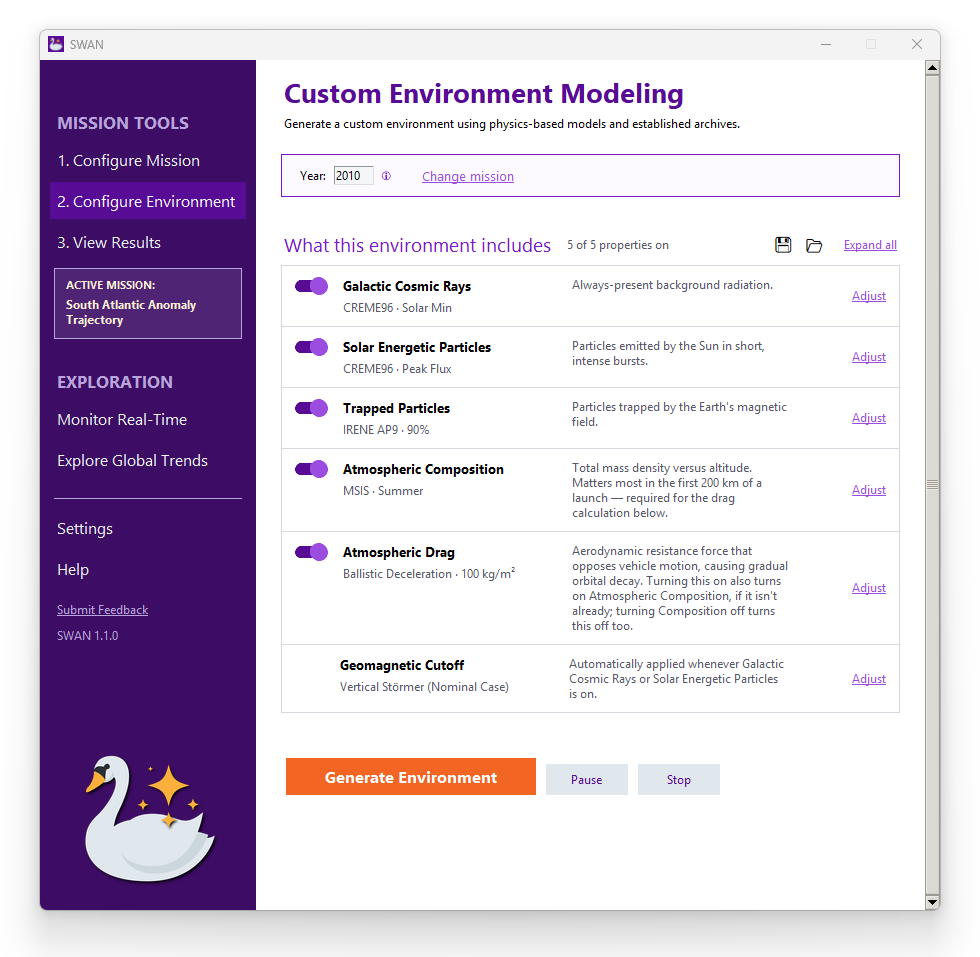
SWAN is designed to be understood at a glance.
Clean layouts, intuitive workflows, and purposeful widgets make it obvious what to do next—without digging through a manual or relying on a software specialist. Whether you’re an experienced analyst or using SWAN for the first time, you can get to the answers you need without a learning curve standing in the way. Open it, understand it, and get to work.
You shouldn’t need a dedicated expert just to operate your modeling software. And you shouldn’t have to spend hours poring over a user guide.
Model the Environment Your Mission Would Encounter
SWAN combines your mission profile with environmental models to show the conditions your spacecraft may encounter throughout the mission.
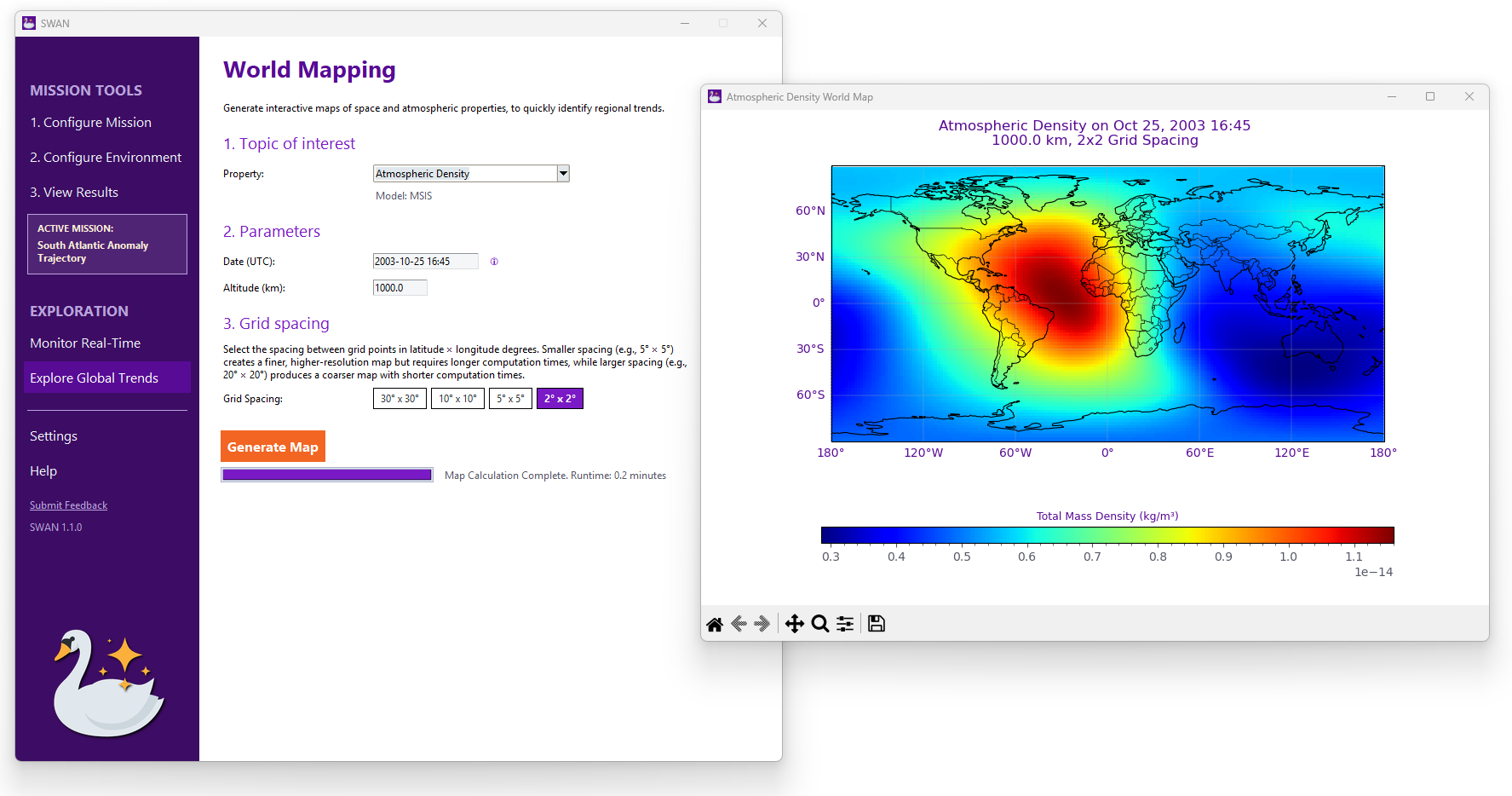
Analyze Your Environment on a Global Scale
Explore modeled atmospheric and space conditions with SWAN’s world mapping tool to quickly view global trends and identify where and when conditions change.
Get SWAN-Lite for free.
No license key required. Download today.
Explore core environmental modeling capabilities with no time limit.
One application. Two access levels.
| SWAN | SWAN-Lite | |
|---|---|---|
| Application | SWAN | SWAN Same application! |
| License | Required | Not required |
| Capabilities | Full toolkit | Limited access |
| Cost | $120/mo | Free |
| Updates | ✓ Included | ✓ Included |
| Best for | Space operations, research, & mission analysis | Exploring SWAN, hobbyists, & high-level awareness |
Ready to try the full SWAN toolkit?
Explore SWAN-Lite for free.
SWAN-Lite gives you free access to a core set of SWAN features, no license key required.
$0 always

When you’re ready to commit, request a license key to unlock the full SWAN toolkit.
Get a SWAN license to access the full range of mission analysis capabilities.
$120 / mo

Frequently Asked Questions
-
No. SWAN-Lite is the unlicensed mode of the SWAN application.
-
No. Anyone can download SWAN and use its available Lite functionality.
-
No. If there is a new version of SWAN available, simply download the latest version and run the installer as‑is. Windows will automatically detect it as an updated version of the same application and perform the upgrade. Your new version of SWAN should automatically detect your license key file, if it is still active.
-
Your license key unlocks additional functionality in the same SWAN application. You do not need to install a separate version.
-
No. Activate your license key in your existing installation.
-
Equinox Technologies is committed to supporting academic research and education. To help advance scientific discovery, we offer a 10% academic discount for students, professors, and research labs on all products.
Equinox Technologies offers an always-free version of SWAN, giving users immediate access to core environmental awareness without barriers. When additional capabilities are needed—such as deeper analysis, expanded modeling, or advanced features—users can seamlessly upgrade to the full toolkit on their own timeline.
Our flexible approach ensures access starts immediately, with the option to scale as mission needs evolve.